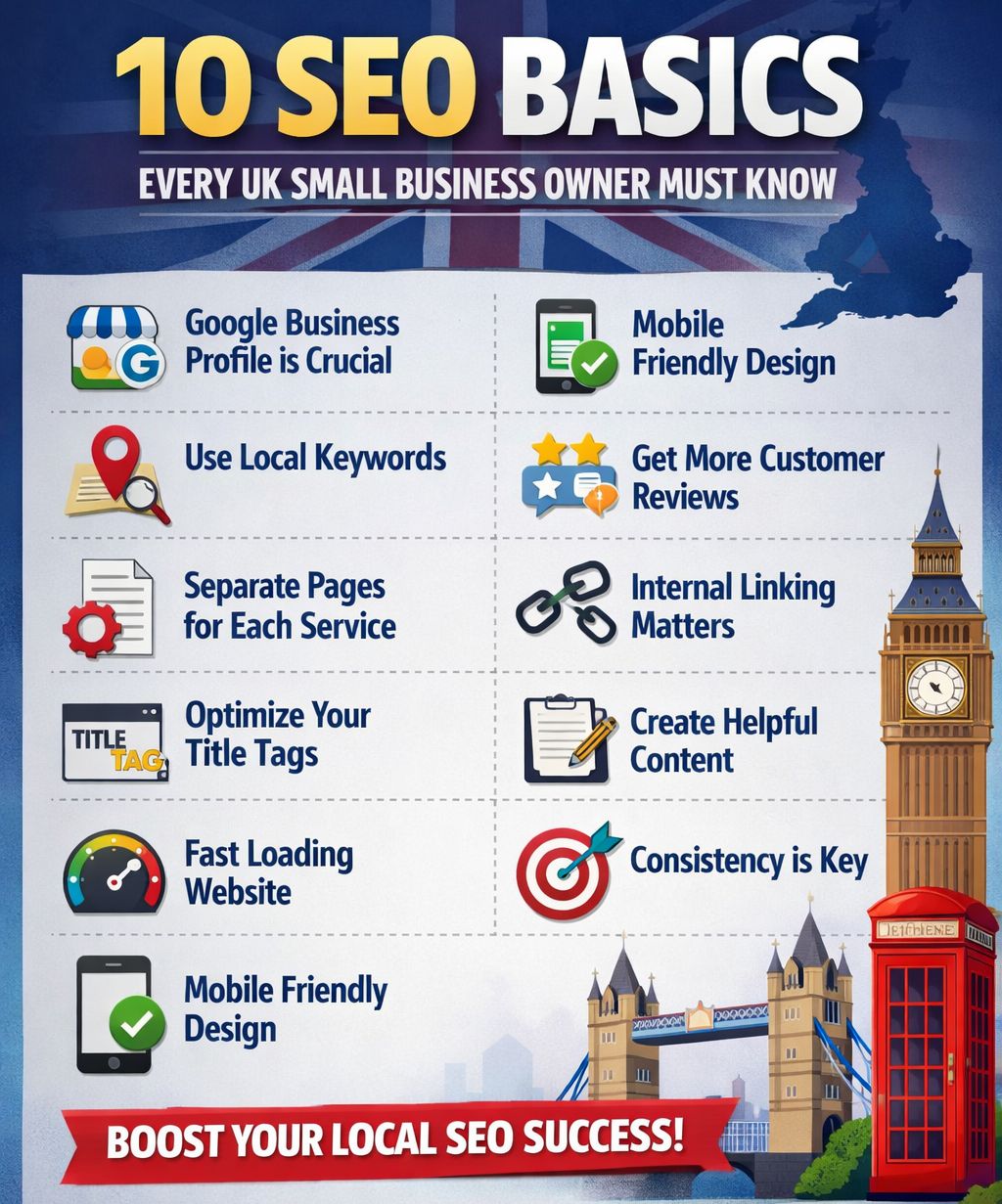
10 SEO Basics Every UK Small Business Owner Must Know
If you run a small business in the UK, chances are you’ve heard of SEO — Search Engine Optimisation. But between managing stock, serving customers, and keeping the lights on, figuring out where to even begin with SEO can feel overwhelming.
The good news? You don’t need to be a tech wizard to start ranking on Google. You just need to understand the basics — and consistently apply them. This guide breaks down the 10 fundamental SEO principles every UK small business owner should know, explained in plain English.
1. Understand What SEO Actually Is
SEO is the process of optimising your website so that it appears higher in search engine results pages (SERPs) — primarily on Google, which handles over 90% of UK searches. When someone searches for “plumber in Manchester” or “best florist in Leeds,” SEO determines whether your business shows up on page one or page five.
Unlike paid advertising (like Google Ads), SEO is organic — meaning you don’t pay per click. It takes time and effort, but the long-term rewards are significant: consistent, free traffic to your website from people who are actively looking for what you offer.
💡 Quick tip: Think of SEO as investing in a shop front on the UK’s busiest high street — it takes effort to set up, but once you’re there, customers walk in without you paying for every footfall.
2. Do Keyword Research Before Anything Else
Keywords are the words and phrases people type into Google when looking for a product or service. Keyword research is the process of finding out exactly what your potential customers are searching for — so you can create content that matches those searches.
For UK small businesses, this means thinking locally and specifically. Instead of targeting “coffee shop” (highly competitive), you might target “independent coffee shop in Bristol city centre” — a longer, more specific phrase (known as a long-tail keyword) with less competition and higher intent.
Free tools to get you started:
• Google Keyword Planner (free with a Google Ads account)
• Google Search Console (free)
• Ubersuggest (free tier available)
• AnswerThePublic (free searches per day)
3. Optimise Your Google Business Profile
If you only do one thing from this list, make it this. Your Google Business Profile (formerly Google My Business) is the free listing that appears in Google Maps and the local “3-pack” results — that prominent box of local businesses that shows up for searches like “electrician near me.”
To optimise your profile:
• Claim and verify your listing at business.google.com
• Add your correct business name, address, and phone number (NAP)
• Select accurate business categories
• Upload high-quality photos of your premises, products, or team
• Add your opening hours and keep them updated
• Actively encourage and respond to customer reviews
Businesses with complete, well-reviewed Google Business Profiles are significantly more likely to be shown in local results — this is low-hanging fruit you cannot afford to ignore.
4. Make Your Website Mobile-Friendly
Over 60% of UK web searches now happen on mobile devices. Google also uses mobile-first indexing, meaning it primarily uses the mobile version of your site to determine rankings. A website that looks great on desktop but is clunky on a smartphone will hurt your SEO — and drive visitors away.
How to check:
• Use Google’s free Mobile-Friendly Test tool (search.google.com/test/mobile-friendly)
• Check your site on your own phone — can you read it easily? Are buttons easy to tap?
Most modern website builders (like Wix, Squarespace, or WordPress with a good theme) create mobile-responsive sites automatically. If yours doesn’t, it’s worth investing in an upgrade.
5. Focus on Page Speed
Page speed is a direct ranking factor for Google. If your website takes more than 3 seconds to load, over half of UK visitors will leave before they even see your content. A slow site doesn’t just hurt your rankings — it costs you customers.
Common causes of slow websites:
- Large, uncompressed image files
- Too many plugins or scripts loading on each page
- Cheap, shared hosting with slow servers
Use Google PageSpeed Insights (pagespeed.web.dev) for a free analysis and specific recommendations. Compressing your images alone can often make a dramatic difference.
💡 Quick tip: Tools like TinyPNG or Squoosh can compress images without visible quality loss — saving seconds off your load time.
6. Write High-Quality, Relevant Content
Content is still king in SEO. Google’s algorithms are sophisticated enough to reward genuinely helpful, well-written content — and penalise thin, keyword-stuffed pages. For UK small businesses, the goal is to create content that answers the questions your customers are actually asking.
Content ideas that work well for UK small businesses:
• Blog posts answering common customer questions (e.g., “How much does a loft conversion cost in the UK?”)
• Dedicated service pages for each of your core offerings
• Location pages if you serve multiple towns or cities
• Case studies or before-and-after project showcases
Aim for at least 500–800 words on key pages. Include your target keywords naturally — don’t force them in. Write for humans first, search engines second.
7. Use Title Tags and Meta Descriptions Properly
Title tags and meta descriptions are the text that appears in Google search results. They are your website’s “shop window” on the results page — they determine whether someone clicks your link or scrolls past it.
Best practice:
• Title tag: Keep it under 60 characters. Include your primary keyword and business name. Example: “Award-Winning Florist in Cambridge | The Bloom Room”
• Meta description: Keep it under 160 characters. Write a compelling summary that includes the keyword and a call to action. Example: “Fresh flowers for every occasion, hand-arranged and delivered across Cambridge. Order online or visit us in Fitzroy Street.”
Every page on your website should have a unique title tag and meta description. If you use WordPress, the free Yoast SEO plugin makes this easy to manage.
8. Build Local Citations and Backlinks
A backlink is a link from another website to yours. Google treats backlinks as votes of confidence — the more reputable websites that link to you, the more trustworthy Google considers your site to be. For local businesses, local citations are equally important: these are mentions of your business name, address, and phone number on directories and listing sites.
Key UK directories to list your business on:
- Yell.com
- Thomson Local
- Yelp UK
- Checkatrade (for tradespeople)
- Your local council’s business directory
Consistency is key: make sure your business name, address, and phone number are identical across every listing. Even small discrepancies (“Street” vs “St”) can dilute the SEO benefit.
9. Collect and Manage Customer Reviews
Reviews are a powerful local SEO signal. Businesses with more positive reviews tend to rank higher in local search results — and they also convert more visitors into customers. In the UK, Google reviews carry the most weight, but Trustpilot and Yelp also matter for certain industries.
How to get more reviews:
• Simply ask satisfied customers — most people are happy to leave a review if prompted
• Send a follow-up email or text with a direct link to your Google review page
• Add a “Leave us a review” link to your website footer or email signature
• Print QR codes that link to your review page and place them at your till or reception
Equally important: respond to all reviews — positive and negative. Responding professionally to negative reviews shows potential customers that you care about service, and can turn a bad experience into a display of your values.
10. Track Your Results with Google Search Console and Analytics
You can’t improve what you don’t measure. Two free tools from Google are essential for any small business owner doing SEO:
• Google Search Console: Shows which keywords bring people to your site, how you rank for specific searches, which pages are performing, and any technical errors Google has found on your site.
• Google Analytics 4: Tells you how many people visit your site, where they come from, how long they stay, and which pages they visit. Crucially, it shows whether visitors are completing actions like filling in a contact form or calling you.
Set both tools up from day one. Check in monthly at minimum. Over time, you’ll start to see which pages are driving the most traffic and enquiries — and can double down on what’s working.
💡 Quick tip: In Google Search Console, look at the “Performance” report and filter by your top pages. Any page ranking on page two (positions 11–20) is a prime candidate for a quick content refresh — pushing it to page one can significantly increase traffic.
Final Thoughts: Start Small, Stay Consistent
SEO is not a one-time task — it’s an ongoing process. But the good news is that for UK small businesses, you don’t need to do everything at once. Start with the basics:
- Set up and optimise your Google Business Profile
- Make sure your website is fast and mobile-friendly
- Create a handful of high-quality pages targeting your core keywords
- Get listed on the main UK business directories
- Start collecting Google reviews
Even implementing three or four of these basics consistently will put you ahead of the majority of small businesses in the UK — most of whom haven’t optimised their online presence at all.
SEO rewards patience and persistence. Put in the groundwork now, and six to twelve months from now you’ll start seeing the fruits: more website visitors, more enquiries, and more customers finding you — for free.
Ready to take the next step? Share this guide with a fellow UK business owner who needs it — and keep an eye out for our next post, where we dive deeper into local SEO strategies.
Also Read: