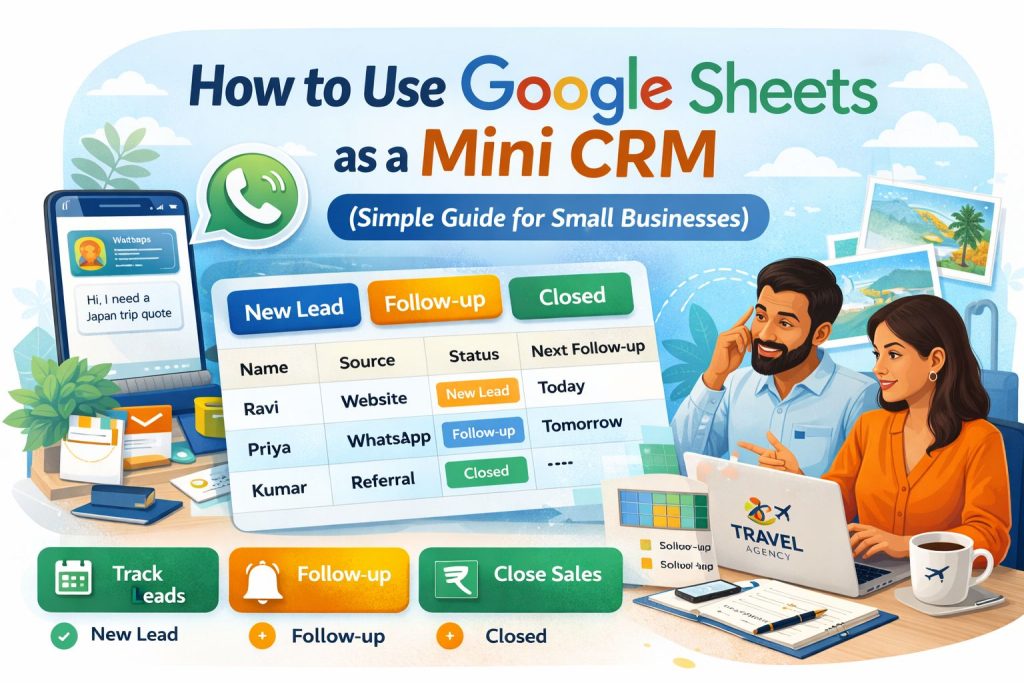
Not every business needs an expensive CRM right away.
If you’re a small business owner, freelancer, travel agency, clinic, roofer, salon, or service provider, you can manage leads surprisingly well using Google Sheets.
Yes — one simple spreadsheet can help you track enquiries, follow up on time, and close more sales.
In this guide, I’ll show you exactly how to use Google Sheets as a mini CRM in a practical way.
🚀 WHAT IS A MINI CRM?
A CRM (Customer Relationship Management system) helps you manage:
- Leads
- Customers
- Follow-ups
- Sales pipeline
- Notes and communication history
A “mini CRM” simply means doing this with a simpler tool like Google Sheets.
Perfect for businesses that want results without monthly software costs.
💡 WHO SHOULD USE THIS?
Using Google Sheets as a CRM is ideal for:
- Startups
- Local businesses
- Agencies
- Freelancers
- Travel companies
- Real estate agents
- Service businesses
If you handle 5 to 50 leads per month, this can work beautifully.
⚙️ STEP 1: CREATE YOUR CRM SHEET
Open Google Sheets and create columns like these:
| Lead Name | Phone | Source | Service Needed | Status | Last Contacted | Next Follow-up | Notes |
|---|
🧲 WHAT EACH COLUMN MEANS
Lead Name
Customer name
Phone / Email
Contact details
Source
Where lead came from:
- Website
- Referral
- Facebook Ads
- Google Ads
Service Needed
Example:
- Roofing quote
- Dubai package
- Hair treatment
- Clinic consultation
Status
Use simple pipeline stages:
- New Lead
- Contacted
- Interested
- Follow-up
- Closed
- Lost
Last Contacted
Date you last spoke
Next Follow-up
Next action date
Notes
Important details
📌 STEP 2: USE COLOUR CODING
This makes your sheet powerful instantly.
Use colors:
🟢 Closed
🟡 Follow-up
🔵 New Lead
🔴 Urgent
In Google Sheets:
Format → Conditional Formatting
This helps you scan leads quickly.
🔁 STEP 3: CREATE A DAILY FOLLOW-UP SYSTEM
Your sheet becomes valuable only if used consistently.
Every morning:
Check:
- Leads marked Follow-up
- Leads with today’s date
- New leads not contacted
Then message or call them.
Evening:
Update:
- Status
- Notes
- Next action date
👉 This habit alone can increase conversions massively.
📱 STEP 4: CONNECT WITH WhatsApp
When you receive WhatsApp enquiries:
- Add lead to sheet immediately
- Save contact
- Update notes after conversation
Example notes:
Wants 5-day Dubai package, travelling in June, budget ₹1.2L
This helps future follow-up feel personal.
📊 STEP 5: TRACK LEAD SOURCES
Create insights by tracking where leads come from.
At month-end check:
- 15 leads from website
- 8 from referrals
- 12 from ads
Now you know where to invest.
This is where smart businesses grow faster.
🧠 STEP 6: ADD SIMPLE FILTERS
Use filters for:
- Only New Leads
- Only Follow-ups
- Only Closed Deals
- Leads from Ads
This turns a simple sheet into a mini dashboard.
💰 STEP 7: TRACK SALES VALUE
Add one more column:
| Deal Value |
Examples:
- ₹25,000 roofing job
- ₹80,000 travel package
- ₹5,000 treatment plan
Now you can measure revenue pipeline.
🚀 SIMPLE MINI CRM EXAMPLE
| Name | Source | Status | Next Follow-up |
|---|---|---|---|
| Ravi | Website | New Lead | Today |
| Priya | Follow-up | Tomorrow | |
| Kumar | Referral | Closed | — |
That’s it. Simple, clear, effective.
⚠️ COMMON MISTAKES TO AVOID
❌ Only storing contacts
Tracking names is not enough.
❌ No follow-up dates
Leads go cold quickly.
❌ Not updating status
Then sheet becomes useless.
❌ Too many columns
Keep it simple.
🔄 WHEN TO UPGRADE TO A REAL CRM
Move to tools like:
- Zoho CRM
- HubSpot CRM
- Freshsales
When you have:
- Team members
- 20+ leads weekly
- Need automation
- Need email campaigns
- Need reports
Until then, Google Sheets can be more than enough.
💡 PRO TIPS
Use one sheet only
Don’t create multiple messy files.
Keep notes short
Use quick phrases.
Review weekly
Which leads are stuck?
Back up monthly
Stay organized.
🔥 FINAL THOUGHT
You don’t need fancy software to become professional.
Many small businesses close lakhs in revenue using nothing more than:
- Google Sheets
- Consistent follow-up
Start simple. Stay disciplined. Upgrade later.
That approach beats expensive tools that nobody uses.