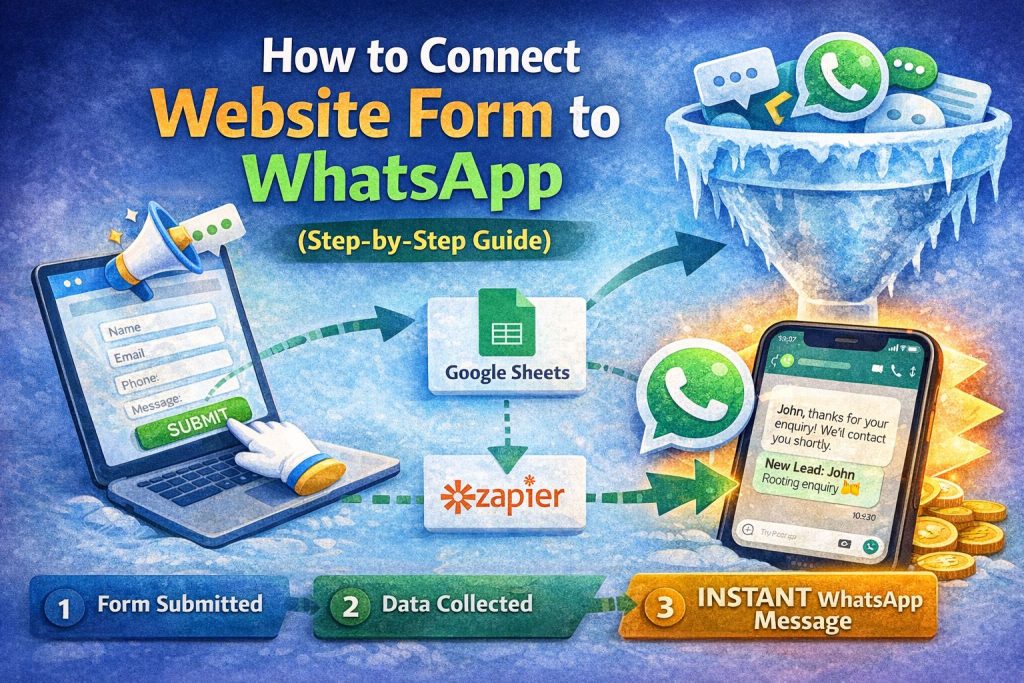
Here’s a high-value, SEO-optimized guide tailored for your audience 👇
How to Connect Website Form to WhatsApp (Step-by-Step Guide)
If your website is collecting enquiries but you’re slow to respond, you’re losing leads.
The fastest way to fix this?
👉 Connect your website form directly to WhatsApp
So every time someone submits a form, you get an instant message on WhatsApp.
Let’s walk through the simplest ways to do it — no fluff.
🚀 WHY THIS MATTERS
When a lead fills your form:
- They’re highly interested right now
- Delay = lost opportunity
👉 Connecting to WhatsApp means:
- Instant notifications
- Faster replies
- Higher conversions
⚙️ METHOD 1: SIMPLE (NO CODE) – USING WHATSAPP LINK
Best for:
- Beginners
- Small websites
- No automation needed
Step 1: Create WhatsApp Click Link
Use this format:
https://wa.me/91XXXXXXXXXX?text=Hello%20I%20am%20interested
Replace:
91XXXXXXXXXX→ your number- Message → your custom text
Step 2: Redirect Form After Submission
In your form settings:
- Set redirect URL to your WhatsApp link
👉 After form submission → user is taken to WhatsApp
Step 3: Pre-fill Message
Example:
Hello, I just submitted a form on your website. Please contact me.
✅ Result:
- User submits form
- WhatsApp opens
- Message ready → they click send
⚠️ Limitation:
- Requires user to click “send” manually
- Not fully automated
🤖 METHOD 2: AUTOMATIC (WITH TOOLS)
Best for:
- Serious businesses
- High lead volume
- Automation + follow-ups
Tools you can use:
- WATI
- Interakt
- AiSensy
How it works:
- Form submitted
- Tool captures data
- WhatsApp message sent instantly
Step-by-step:
Step 1: Connect Form to Automation Tool
- Use webhook / integration
- Or connect via Zapier
Step 2: Create Automation
Trigger:
👉 New form submission
Action:
👉 Send WhatsApp message
Step 3: Customize Message
Example:
“Hi {{name}}, thanks for your enquiry. We received your request and will contact you shortly.”
✅ Result:
- Fully automatic
- Instant response
- Professional experience
🔗 METHOD 3: USING GOOGLE SHEETS (SMART HACK)
Best for:
- Low budget
- DIY setup
Tools needed:
- Google Forms or website form
- Google Sheets
- Zapier
Flow:
Form → Google Sheets → Zapier → WhatsApp tool
Benefit:
- Easy tracking
- Simple automation
- No heavy setup
💡 PRO TIP: SEND 2 TYPES OF MESSAGES
Don’t just notify yourself — message the lead too.
1. Internal Alert (to you)
“New lead: John – Roofing enquiry”
2. Customer Message
“Hi John, thanks for contacting us. We’ll call you shortly.”
👉 This builds trust instantly
⚠️ COMMON MISTAKES TO AVOID
❌ No instant response
❌ Sending long messages
❌ No follow-up
❌ No clear next step
👉 Even with automation, poor messaging kills conversions
🚀 SIMPLE WORKFLOW (BEST SETUP)
If you want a clean system:
- Form submission
- Instant WhatsApp auto-reply
- You get notified
- Follow-up within 5–10 mins
👉 This alone can double your lead conversion
🔥 FINAL THOUGHT
Your website form is not the problem.
Your response speed is.
The moment someone fills your form, they’re ready.
If you respond instantly on WhatsApp — you win.
💬 NEED HELP?
If you want:
- Done-for-you WhatsApp integration
- Automation setup
- Lead handling system
👉 I can help you build a complete lead capture + conversion system
Just start with one method above — even the simple version works.